 Fieldmark Documentation
Upload a file
How to add and configure an Upload a file field in the Notebook Editor.
What This Field Does
An Attach File field provides general-purpose file upload, accepting any file type without restriction — PDFs, spreadsheets, audio recordings, sketches, scanned documents, or data files. It supports drag-and-drop on desktop and integrates with platform-native file pickers on mobile. Use it when you need to attach reference material, lab results, or any non-photographic media to a record.
Adding the Field
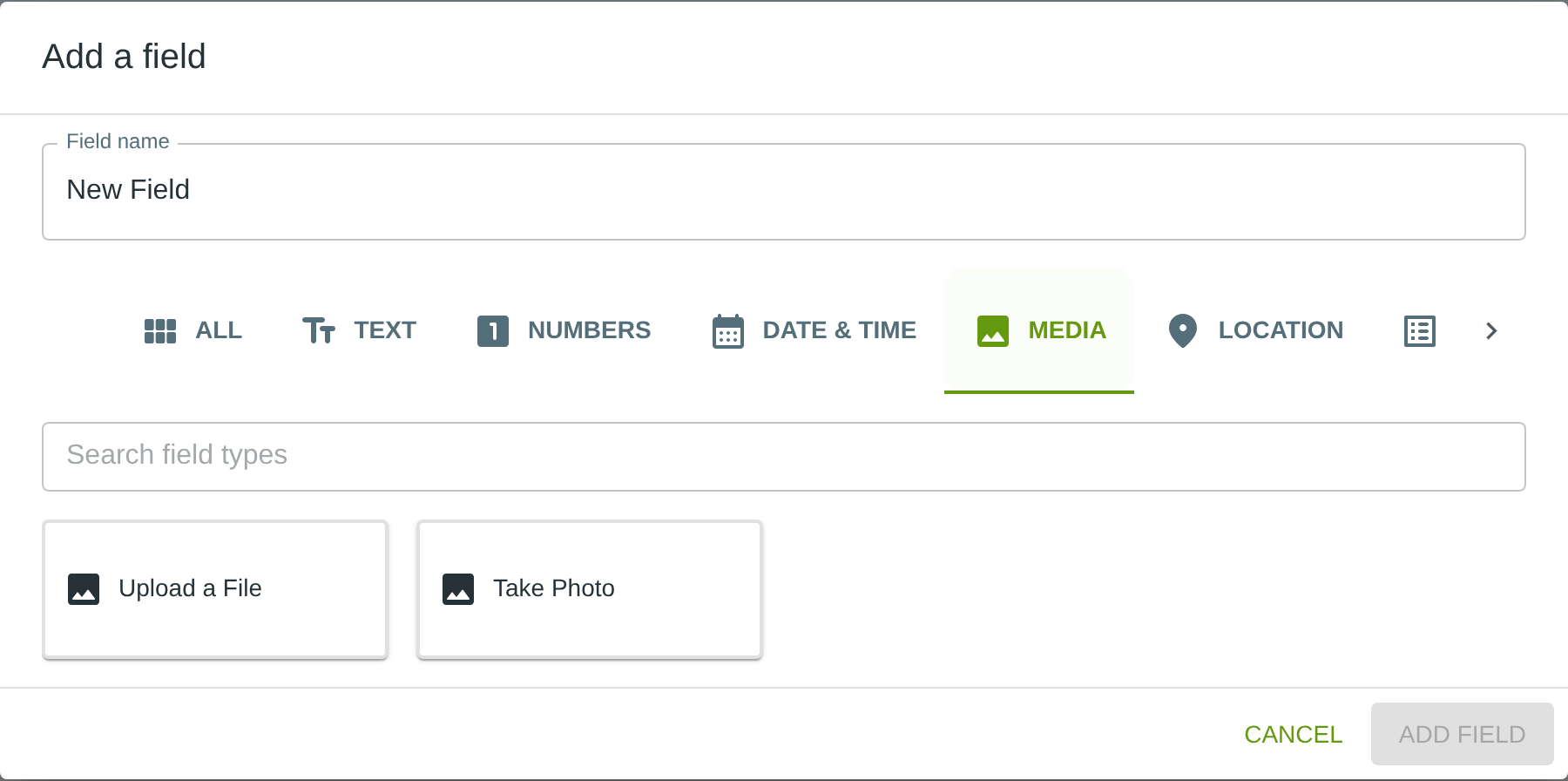
To add this field, open the ADD A FIELD dialog, navigate to the MEDIA tab, and click the Upload a File card. Then click the ADD FIELD button in the lower right.
Configuring the Field
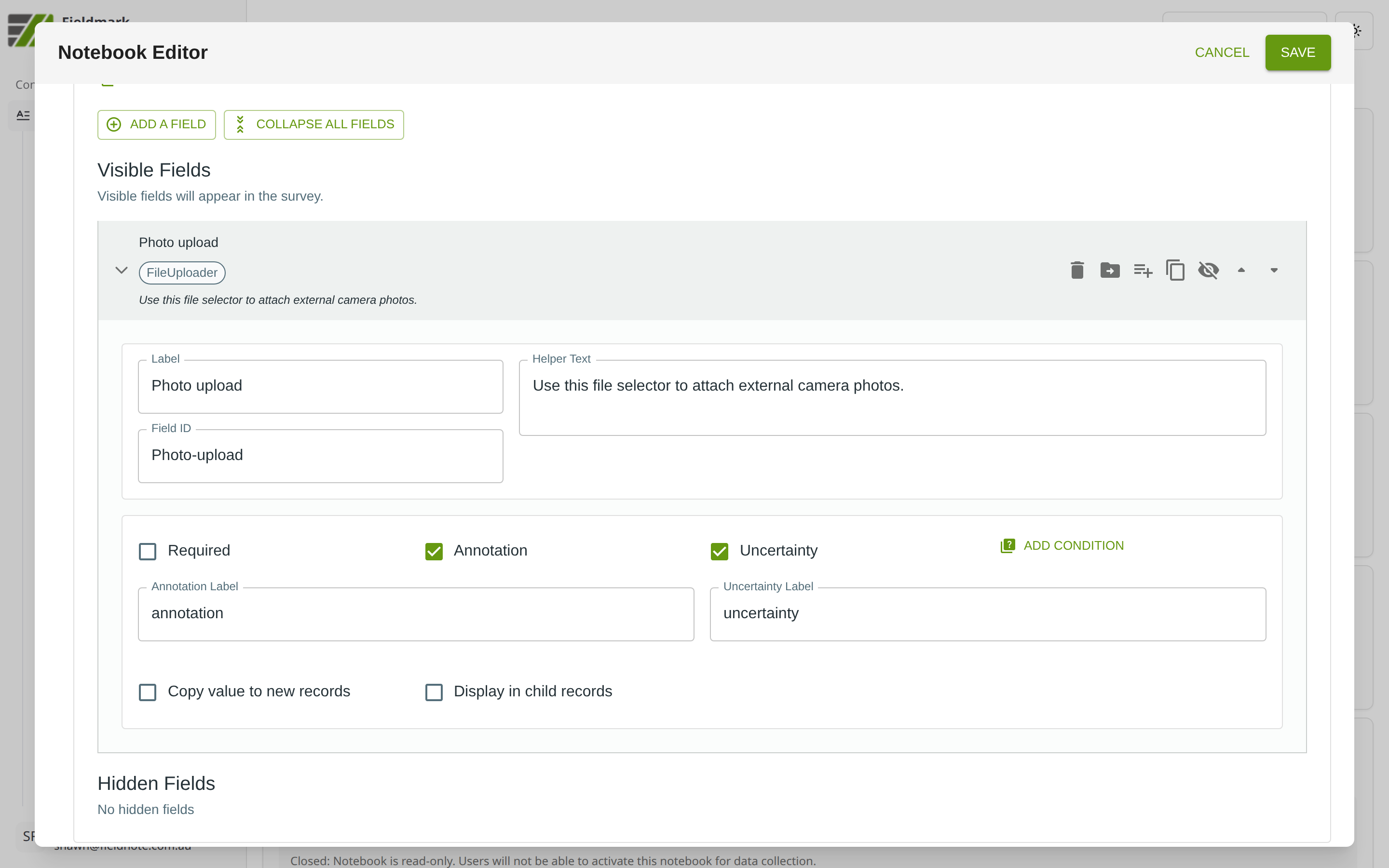
Click the field’s grey header bar to expand it and see its settings. For an overview of the settings shared by all fields — including Label, Helper Text, Field ID, and the field toolbar — see Field Identity and Field Toolbar.
Give the field a meaningful Label, review the auto-populated Field ID, and add any desired Helper Text.
Tips
More flexible than Take Photo but less streamlined for camera workflows. Use Attach File when you need to upload documents, data files, or media from external sources (e.g., photos from an external camera). Use Take Photo when attached media will include images captured with the device camera.
Upload times vary significantly by file size and connection quality. In low-bandwidth field conditions, keep attached files small or defer uploads to when connectivity improves. Files are queued locally and synced when a connection is available.
Good for: scanned field notes, lab results, reference documents, audio recordings of oral descriptions, or any file type that does not need camera integration.