 Fieldmark Documentation
Conditions
How to use the conditions builder to show or hide fields based on other fields’ values.
Overview
Conditions let you create visibility rules so that a field only appears when another field has a particular value. For example, you might show a “Please specify” text field only when a collector selects “Other” in a dropdown, or reveal a detailed damage assessment section only when a checkbox is ticked. Conditions are configured per-field in the Notebook Editor and evaluated dynamically during data collection.
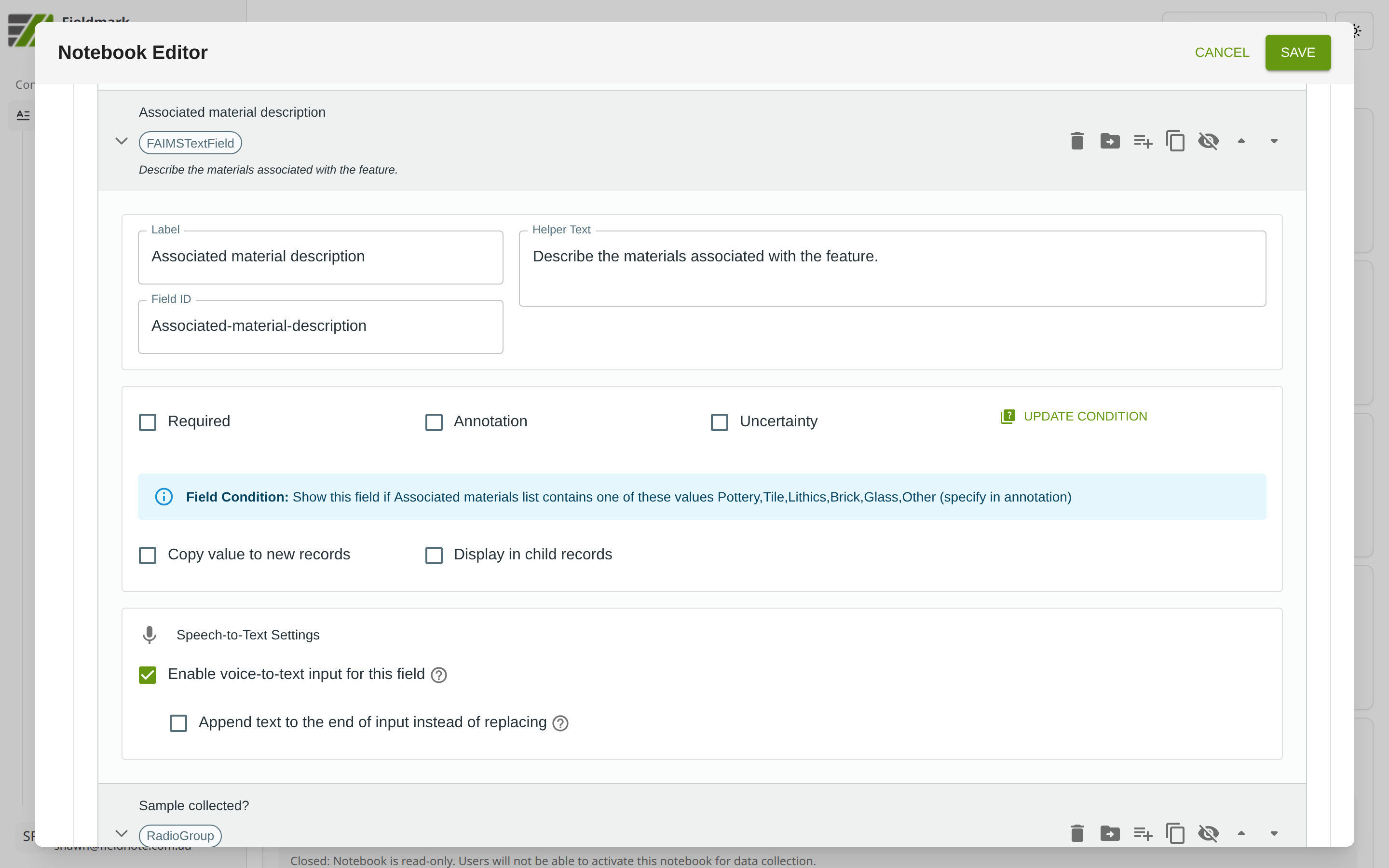
See Conditions on Sections and Fields for details of creating and editing conditions.
How Conditions Behave
Conditions are evaluated dynamically — fields appear and disappear instantly as the controlling field’s value changes.
Conditions can only reference fields in the same form. You cannot reference fields in a different form or in a parent/child record.
Sections hide automatically when all their fields are hidden by conditions, keeping the form tidy.
Hidden fields retain their data. If a collector fills in a field and it is subsequently hidden by a condition change, the data is preserved (not deleted).
Validation on hidden fields is filtered from the visible error display. However, be cautious about marking conditionally shown fields as Required — if the field is hidden but still required, it may cause confusion.
Tips
Start with the “Other — please specify” pattern. The most common use of conditions is revealing a free-text field when a collector chooses “Other” in a Select or Select one option field. This is a good first condition to try.
Keep conditions simple. A single condition per field (e.g., show when Feature type = “Burial”) is easy to understand and debug. Compound conditions (AND/OR) are powerful but harder to test — use them sparingly.
Test conditions in a deployed notebook, not in the Notebook Editor preview. The Editor shows the condition configuration but does not simulate the dynamic show/hide behaviour.
Be careful with Required on conditional fields. If a field is marked Required but hidden by a condition, collectors cannot see or fill it. Consider whether the field should truly be mandatory in all cases.
Conditions cannot reference complex fields like Take Photo, Take GPS Point, or Map Field directly. If you need to branch based on whether a photo was taken, use a Checkbox as a gateway question (e.g., “Photo taken?”) and condition on that instead.